Chords Live

Chords from your feet, made for the stage.

Build the song section by section, cue the next chord, play it with a pedal. Or plug in a MIDI keyboard and play the sounds yourself. iPad and iPhone.

Hands on the guitar. Chords from the floor.

Nothing sounds until you press Play. So you can set up the next chord while the current one rings.

  1. 01

    Build the song

    Sections with their own chords. Pick them in your key, from 668 voicings, or build your own.

  2. 02

    Cue

    Tap a chord or a section. It blinks gold. Nothing plays yet.

  3. 03

    Play

    Press the pedal. The cued chord sounds in red, voiced smoothly from the one before.
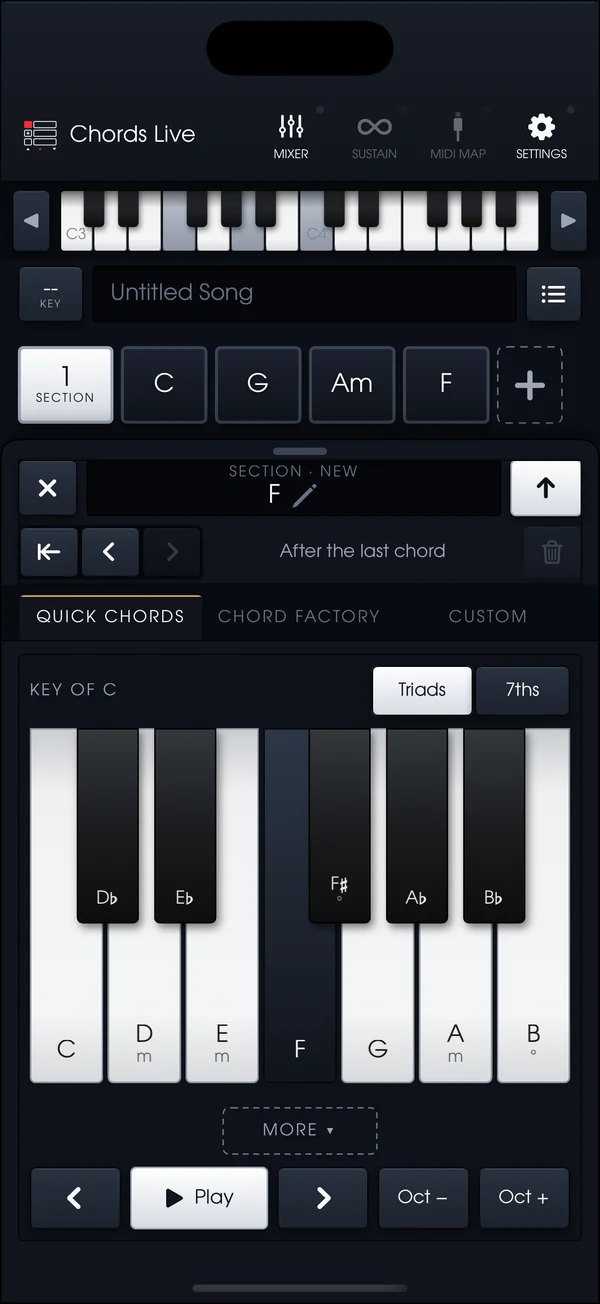
The chord picker: Quick Chords in the key of C laid out on a piano keyboard, with Chord Factory and Custom tabs.

Pick chords by ear.

Set the key and every chord that belongs in it sits on a white key. Borrowed chords on the black keys. Tap one, hear it, add it.
Quick Chords
Triads or 7ths in your key, plus a row of secondary dominants.
Chord Factory
668 voicings played by real musicians. Browse by root and quality, ranked by how smoothly they follow the last chord.
Custom
Build any chord on a keyboard, or play it in from a MIDI controller. The app names it for you.
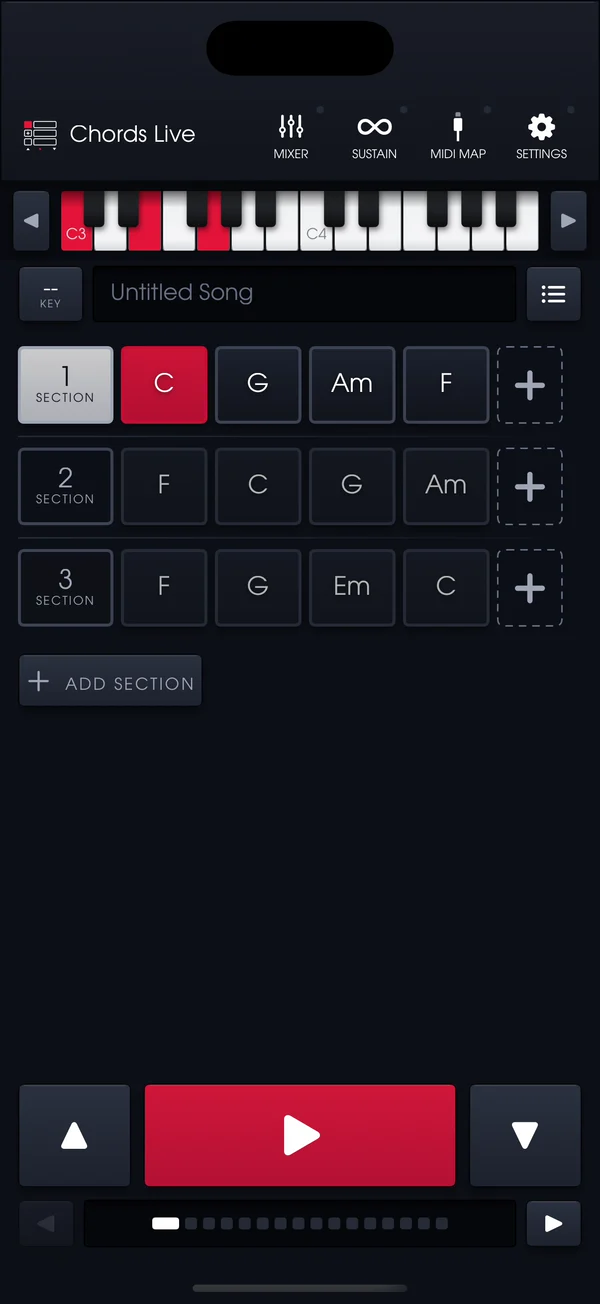
The song screen with three sections of chords, C sounding in red in section 3 and its notes lit on the keyboard.

Play it from your feet.

Verse, chorus, bridge. Each section holds its own chords. The pads step through them, and the arrows jump sections.
Cue, then play
Tap any chord to set it up next. The pedal plays it. Red is sounding, gold is cued.
Sustain latch
Hold the chord after you lift off, so your hands are free.
Set list
Sixteen songs in order. Step through them without looking down.
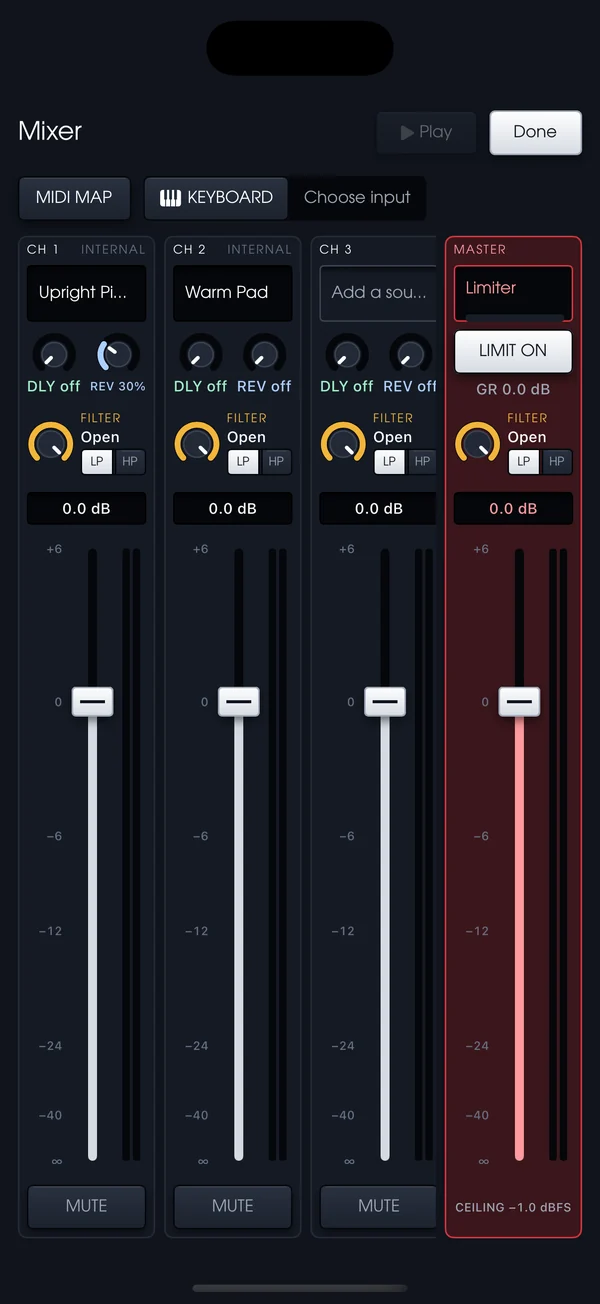
The mixer: channels with sound pickers, delay and reverb sends, filters and faders, and a master limiter.

A mixer, not a sound menu.

Layer up to four sounds, each on its own channel strip. A limiter on the master keeps the house engineer happy.

Per channel
A fader, a filter dial you can switch between low-pass and high-pass, and a send dial each for the delay and the reverb. Sweep a pad dark, send the piano to Echo, keep the organ dry.
Sounds
Upright piano, the Midnight electric piano and pads, all trimmed to the same loudness.
Your own instruments
Put any AUv3 synth you've installed on a channel. Its settings stay with the song.
MIDI in and out
Play the layers from a MIDI keyboard, or send the chords to the band's rig and leave the sounds to them.

Or play it with your hands.

Turn on KEYBOARD in the mixer and pick your controller. Chords Live becomes the sound module: the four layers, the effects and the mixer, played from the keys.

Plays like an instrument

Velocity, the sustain pedal, mod wheel, pitch bend and aftertouch all come through. Program changes are ignored, so nothing on stage can swap your sounds.

Both at once

The keyboard plays the sounds while a pedal on another input still runs the song. Knobs mapped to faders and dials keep working.

Remembers your rig

The input stays chosen between shows. Unplug the keyboard and it shows Offline; plug it back in and it plays again.

Two pedals on the board.

Halo is the reverb, Echo is the delay. Presets you can save, footswitches you can map.
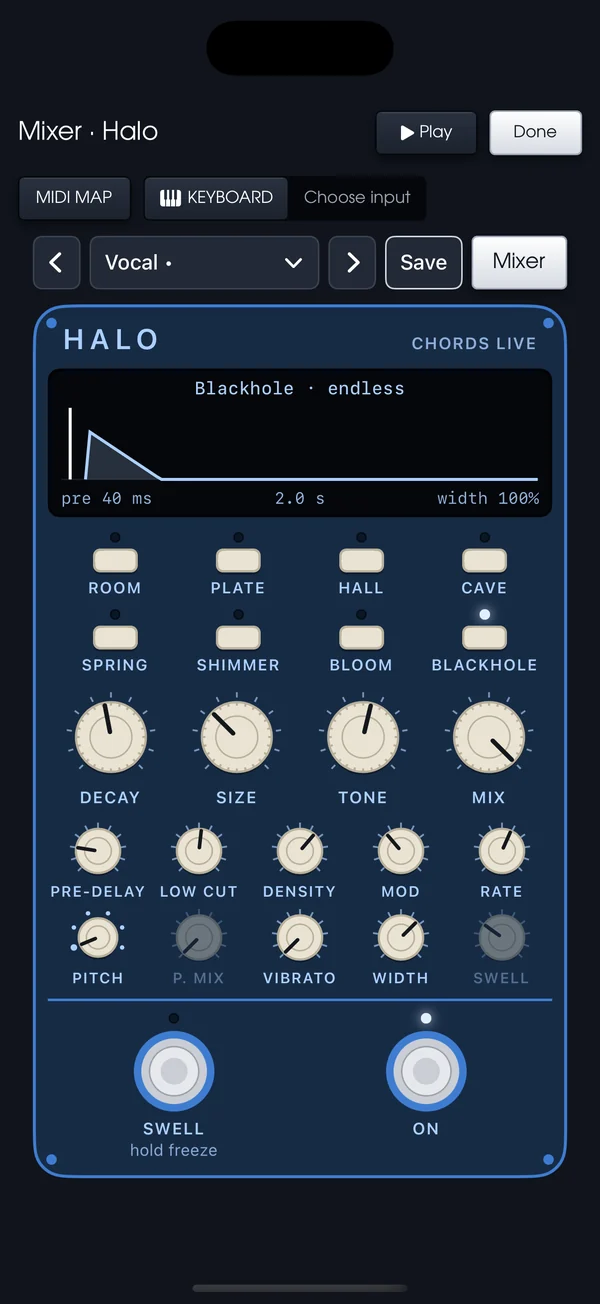
Halo, the reverb: Room, Plate, Hall, Cave, Spring, Shimmer, Bloom and Blackhole, with decay, size, tone and mix dials and a swell footswitch.
Halo. Eight spaces from Room to Blackhole. Hold Swell to freeze the tail.
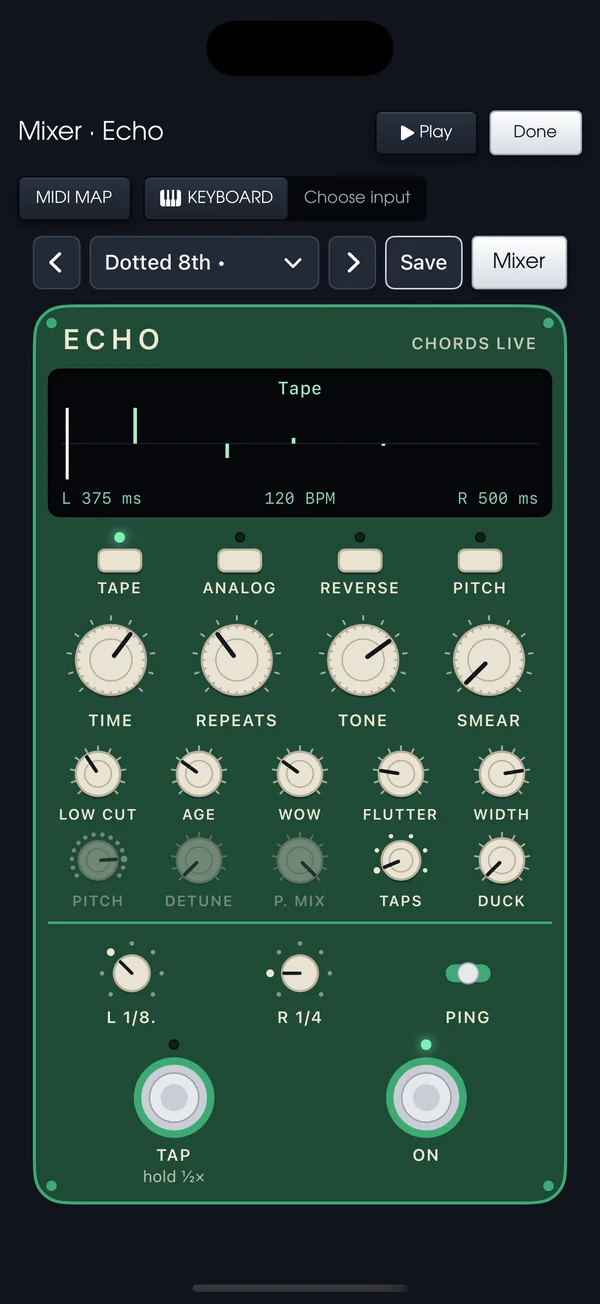
Echo, the delay: Tape, Analog, Reverse and Pitch modes, time, repeats, tone and smear dials, and a tap footswitch.
Echo. Tape, Analog, Reverse or Pitch. Tap the tempo with your foot.

Any pedal. Any rig.

USB and Bluetooth MIDI pedals and keyboards. Map Play, the section arrows, the set list and the mixer to whatever you own.

Tap, hold or latch

Works with a momentary pedal or a sustain-style one.

Keeps playing

A call, Siri or unplugged headphones won't stop the chord. Lock the screen and the pedal still works.

In time

Chords Live measures your device's latency once and plays ahead of it.

Songs and set lists travel.

AirDrop a song or the whole set to another iPad and it opens ready to play.

.dfx

Songs and set lists

Share by AirDrop, Messages or Files. Import a set and every song in it comes along.

.ccsong

ChordCodex songs

Open a song you wrote in ChordCodex and the sections and exact voicings are already there.

Everything stays on your device. No account, no analytics, no network.

One email at launch.

The App Store link when it's live. Nothing else.

Unsubscribe with one tap. Your address is never shared.

Write it in ChordCodex first.

Sketch the chords on your phone, send the song to Chords Live, and play it on stage with the same voicings.