
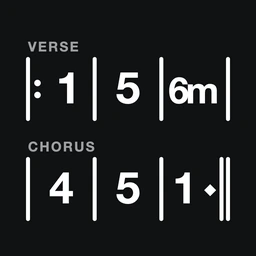
ChartCodex

Setlist. Chart. MIDI controller.

Nashville number charts in a setlist. Load a song on stage and ChartCodex sends the BPM and the patch change to your pedalboard, amp modeler or keyboard over USB-C. Share it with the band in one tap. iPhone and iPad.
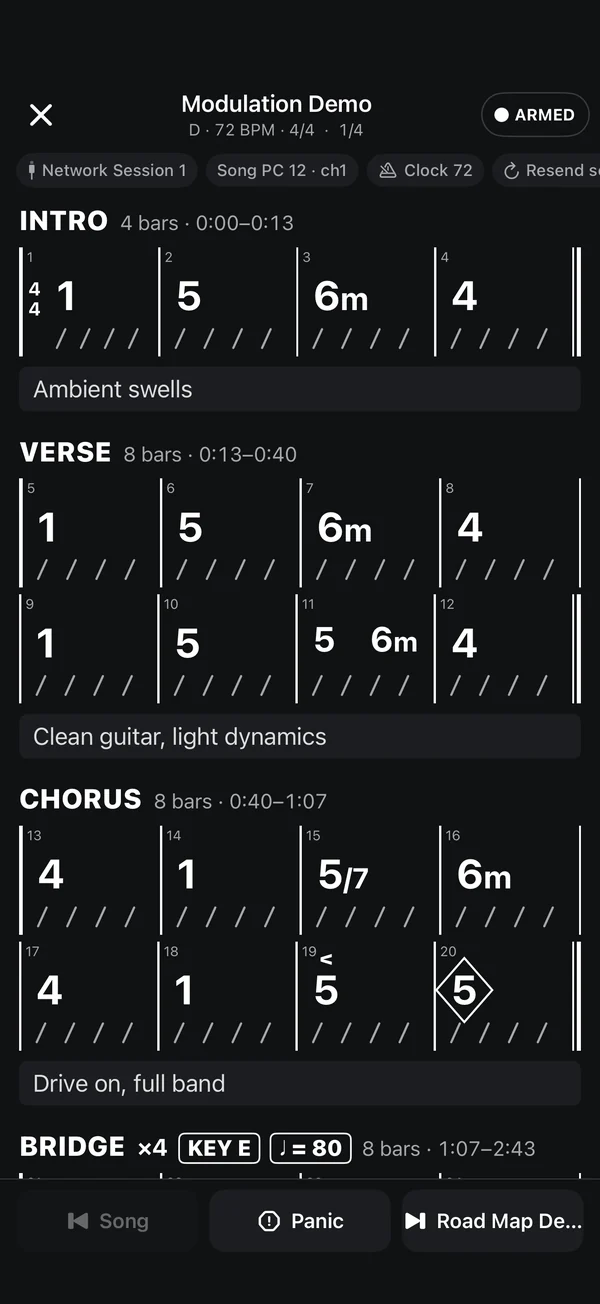
ChartCodex on stage: the Demo Worship Song chart in white on black, MIDI armed, song Program Change 12 and clock at 72 BPM sent.
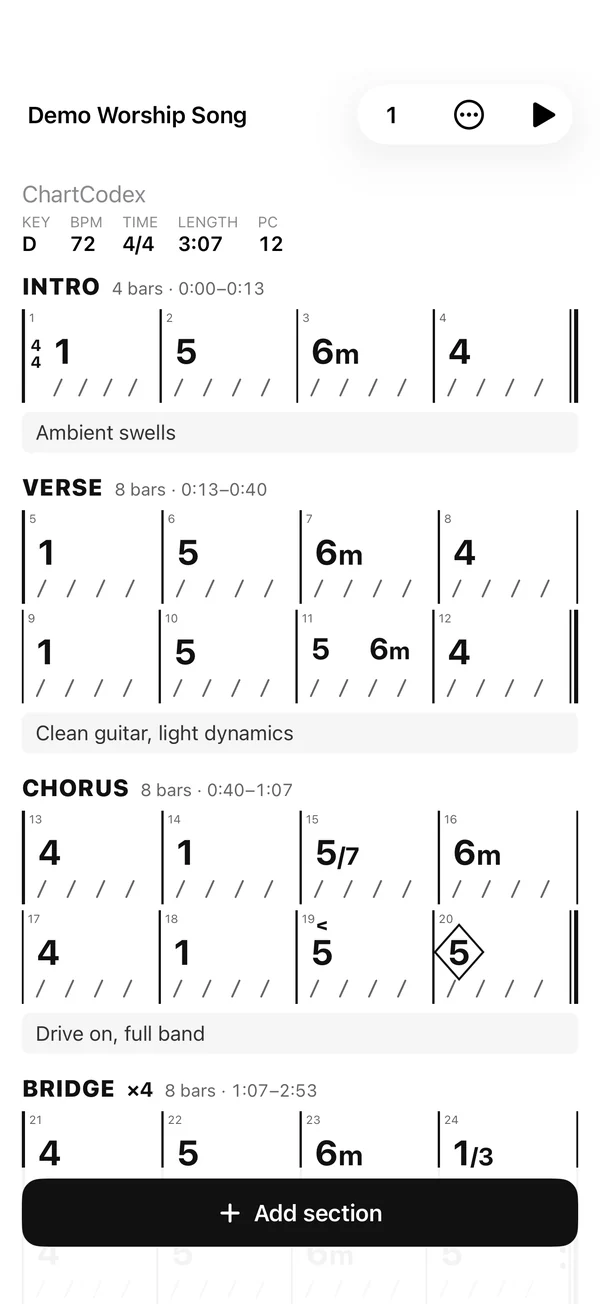
A Nashville number chart: Intro, Verse, Chorus and Bridge sections with bar lines, beat slashes, a push and a diamond hold, and notes under each section.

A chart that reads like the real thing.

Section headers, bar lines, chords on the beat they land on, beat slashes, pushes, holds and stops. Every section shows its bar count and running time, worked out from the BPM and meter.
Numbers or names
One chart works in any key. Tap 1 / C and the chart spells itself for the key, major or minor: 1 2 6 3 in C reads C Dm Am Em. Transpose and the numbers stay put while the names follow.
Road maps
Repeats, 1st and 2nd endings, ×2 ×3 ×4, Segno, Coda, D.S., D.C., Fine. The timing counts the repeats.
Changes
Key, time and tempo changes from any section. The chart marks them and the clock follows them.
Your notes, under every section
The part you play, the sound you switch to, the cue you listen for, who takes the solo. "Clean guitar, light dynamics." "Pad swell into the chorus." They sit under the bars on stage and travel with the chart when you share it.
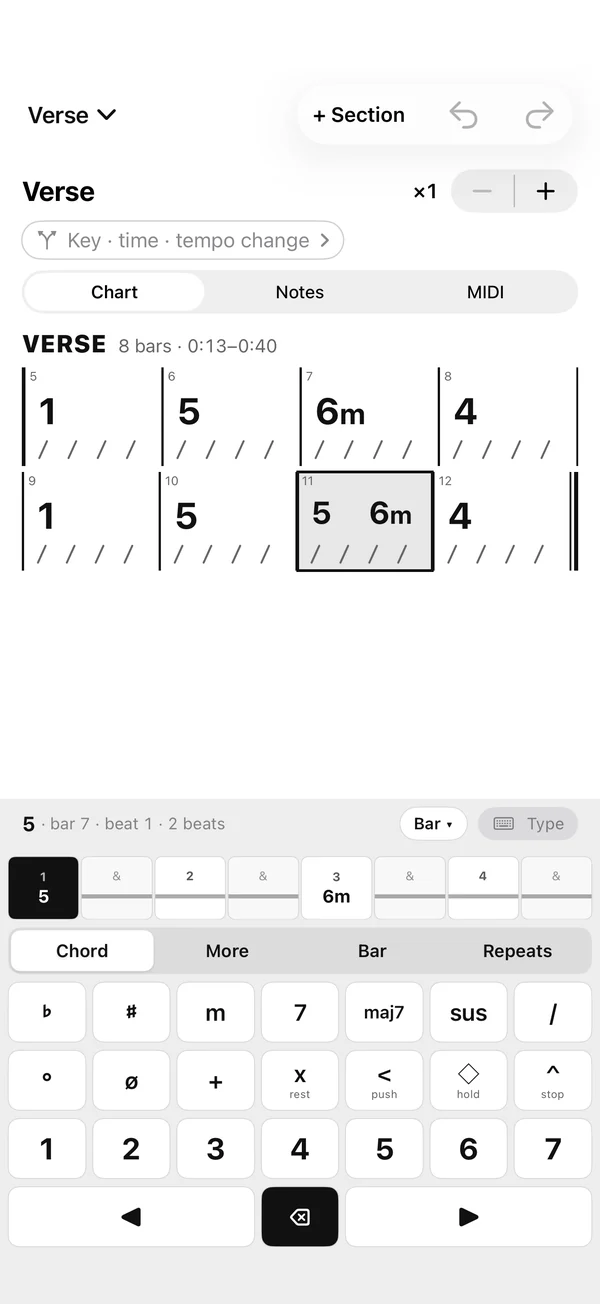
The section editor: the Verse chart above a keypad with flat, sharp, m, 7, maj7, sus, slash, push, hold and stop keys, and the numbers 1 to 7.

A keypad that speaks Nashville.

1 to 7, flats and sharps, m, 7, maj7, sus, slash bass, split bars, push, hold, stop, rest, repeat bar. Tap a beat on the grid and the next chord lands there.

Or type it
1 5 6m 4 (5 6m) 1! 5^ — the keypad and the typed line write the same chart.
Hardware keyboard
On iPad: numbers, m, s, b, #, arrows, return. The chart sits beside the keypad in landscape.
Any chord
Sus and add, 6 and 9, 11 and 13, every 7th, altered, or type your own.

Load the song. Every unit on stage changes with it.

ChartCodex is the MIDI controller. Plug a pedalboard, amp modeler, keyboard or any unit with a MIDI input into the USB-C port, or pair a Bluetooth MIDI one right in the app, and tick it under Send to. It sends standard MIDI, so anything that follows Program Change and MIDI Clock follows the setlist.

  1. 01

    The patch

    Each song carries a Program Change, Bank Select and any CCs. Load it and they go to your device, once.

  2. 02

    The tempo

    MIDI Clock at the song BPM, as a short burst or continuous, with optional Start/Stop. Or tap-tempo CC pulses on the number your device listens to. 6/8 counted in dotted quarters sends the right clock.

  3. 03

    The section

    Give a section its own Program Change or CC and tapping it on stage sends it. Clean lead for the solo, back to rhythm for the chorus.
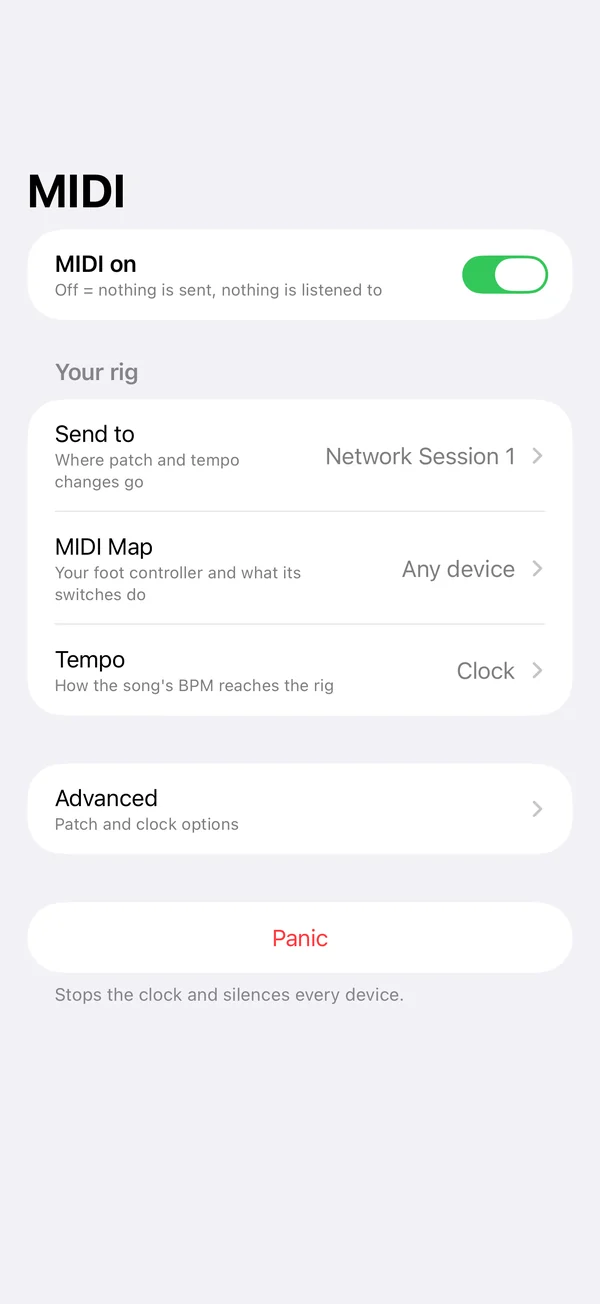
The MIDI tab: MIDI on, then Send to, MIDI Map and Tempo rows, Advanced, and Panic.

Nothing leaves the phone by accident.

Reading, scrolling and editing never send MIDI. Only loading a song, tapping a section or pressing a test button does.

ARMED / SAFE
A master switch, always on screen on stage. SAFE means nothing is sent. Rehearse and browse without touching the rig.
Test it at soundcheck
Send to → Test sends a patch change; MIDI Map shows the last switch you pressed. You know it works before the first song.
Panic
Stop the clock, all notes off on every channel.
MIDI Map
Pick your foot controller, tap Set, press a switch. Next and previous song, from your feet.

Built for the music stand.

Sunday's set, a forty-song wedding, a tour with a different key for every singer: a dark stage view with the chart big, the song's key, BPM and meter, and next and previous song. The screen stays awake while you play.

Setlists

Add songs, drag to reorder, load any row or play straight through the night. The music director sends the set; the whole team opens the same charts.

iPhone and iPad

iPhone for the pocket, iPad for the stand: the list beside the chart, charts that size themselves to the screen.

Offline

Everything is saved on the device as you go. No account, no analytics, no network.

One tap to the whole band.

Share a song, or a setlist with every song in it, by AirDrop, Messages or Mail. Another ChartCodex user taps the file and it lands in their library. Change the chart, share it again, and their copy updates. For anyone without the app, send the PDF.

.chartcodex

Songs and setlists, app to app

One small file with the charts only. The other player imports it in one tap. Your MIDI device settings stay with you.

PDF

The chart on paper

Any song, exported as it appears on screen, ready to print or to send to a player who doesn't have the app.

Export the whole library as one backup file and import it on another device.

One email at launch.

The App Store link when it's live. Nothing else.

Unsubscribe with one tap. Your address is never shared.

Chords Live plays the chords.

Cue a chord, play it from a foot pedal. Gold is next, red is sounding. The other half of the stage rig.